

Your documents. Your control. Your security.
LEOLEX AI is a desktop AI agent for lawyers that works on your local project files, creates and edits documents, organizes data into tables, and lets you choose the AI model provider that fits your organization’s requirements.
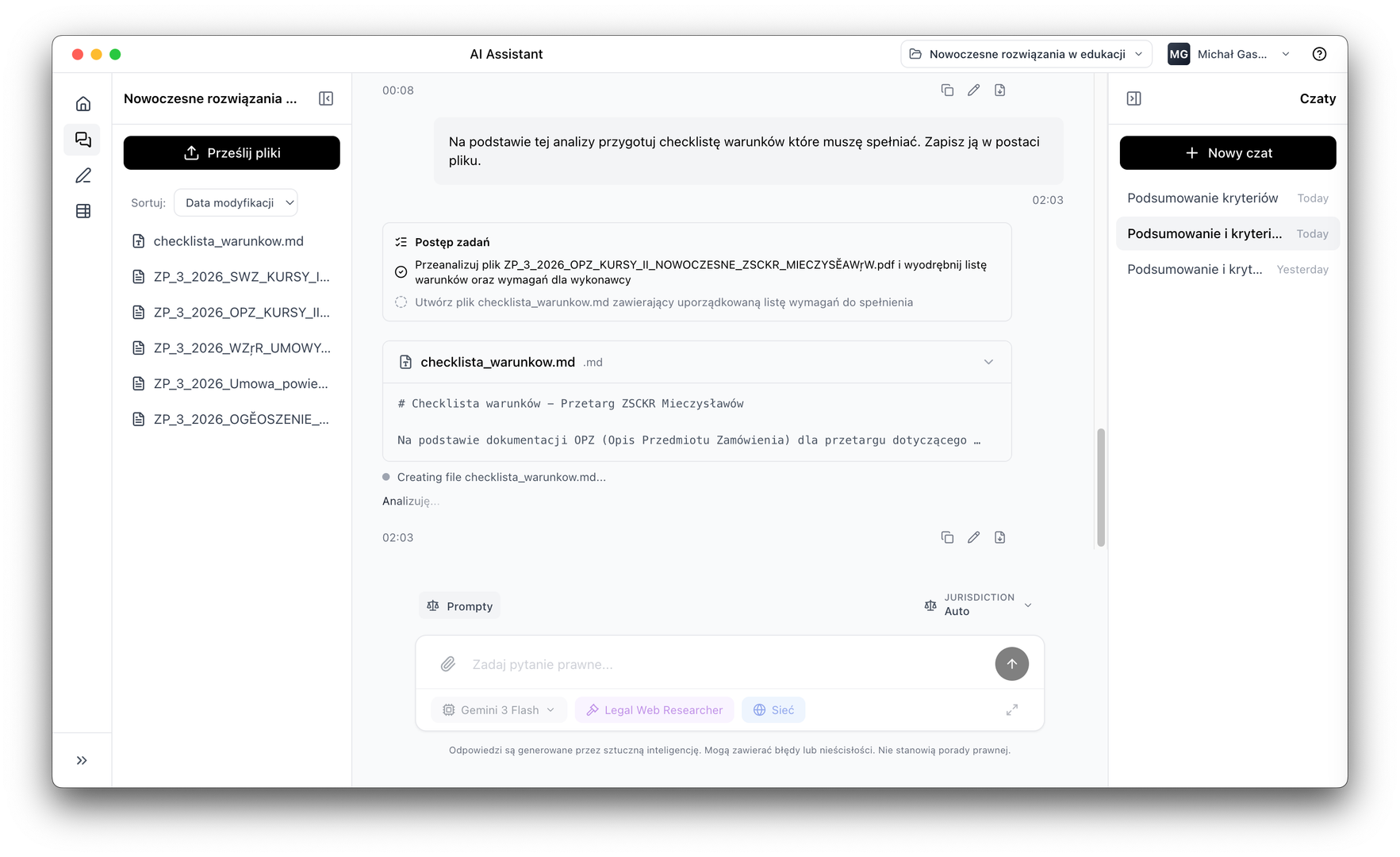
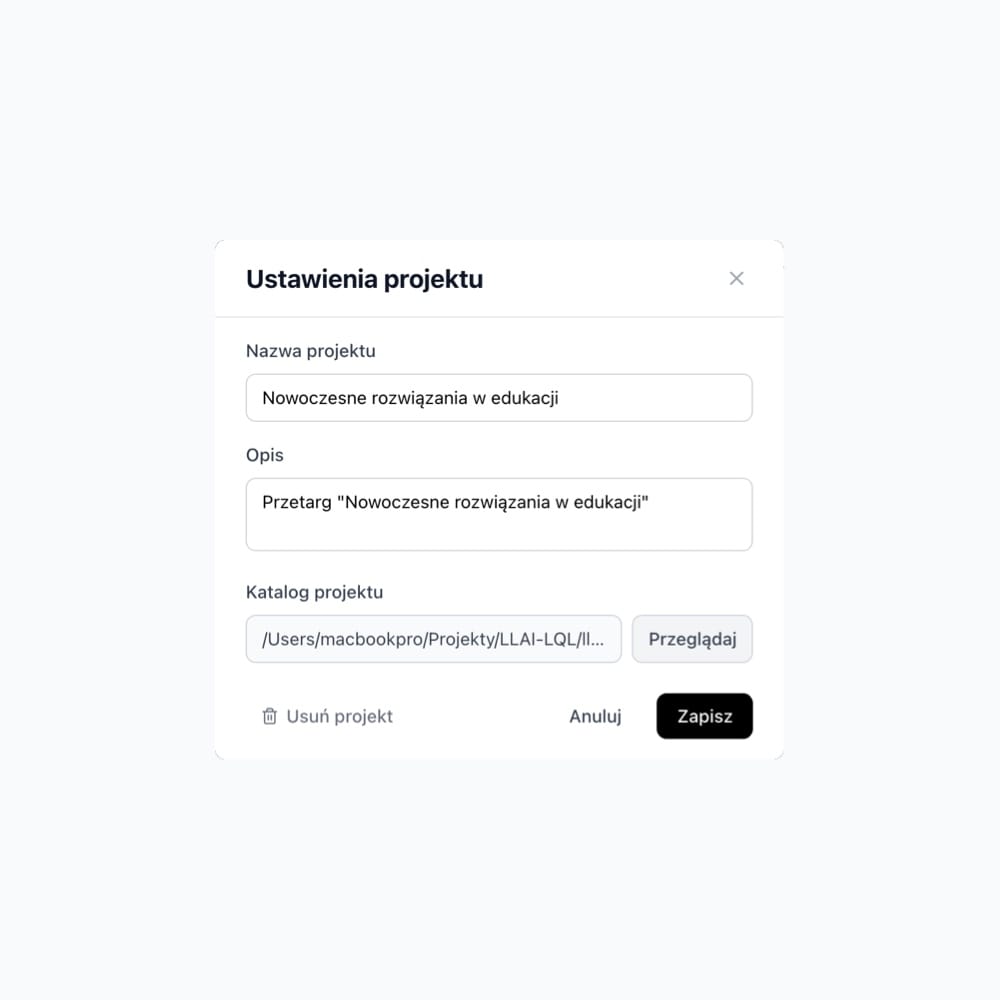
Project files stay on your computer
Project files are stored locally on your drive and do not reach LEOLEX infrastructure. You choose which AI provider processes your queries.
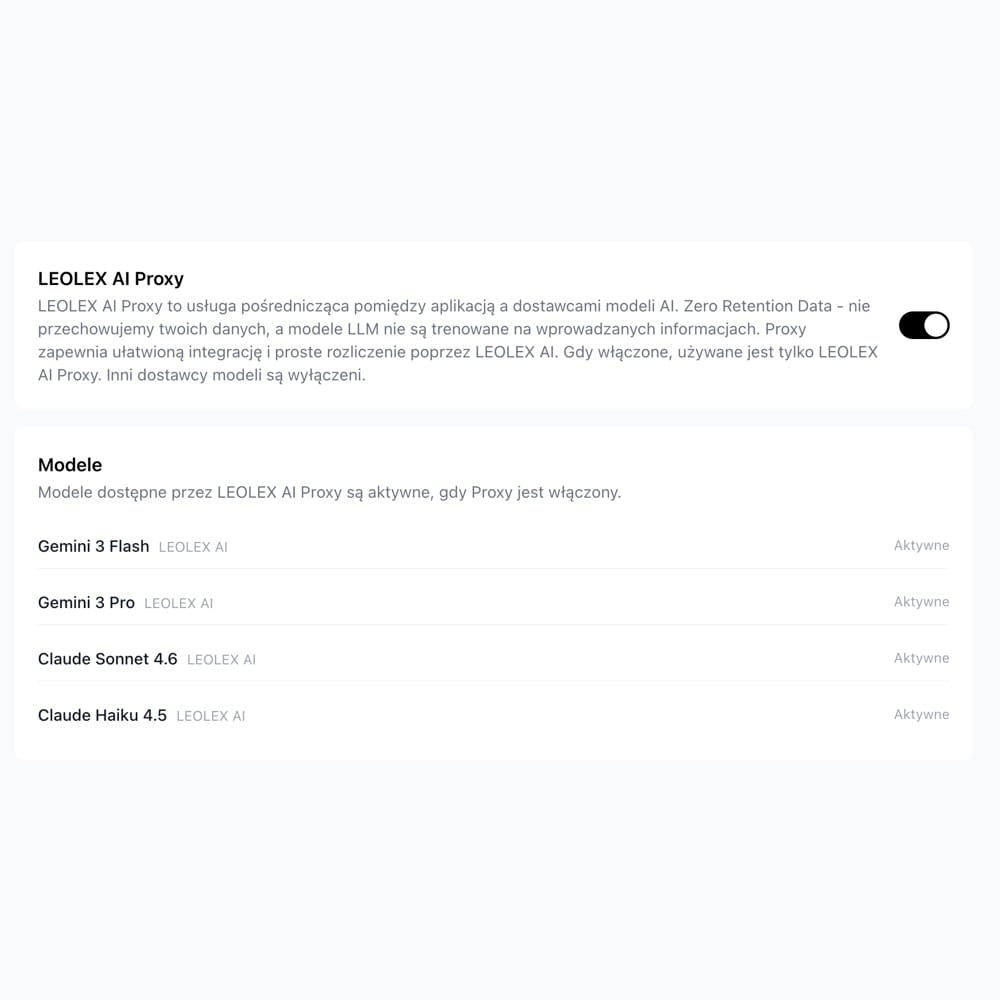
Zero Data Retention Policy
LEOLEX does not store document contents or query history. Queries go directly to your chosen provider, without routing through our servers.
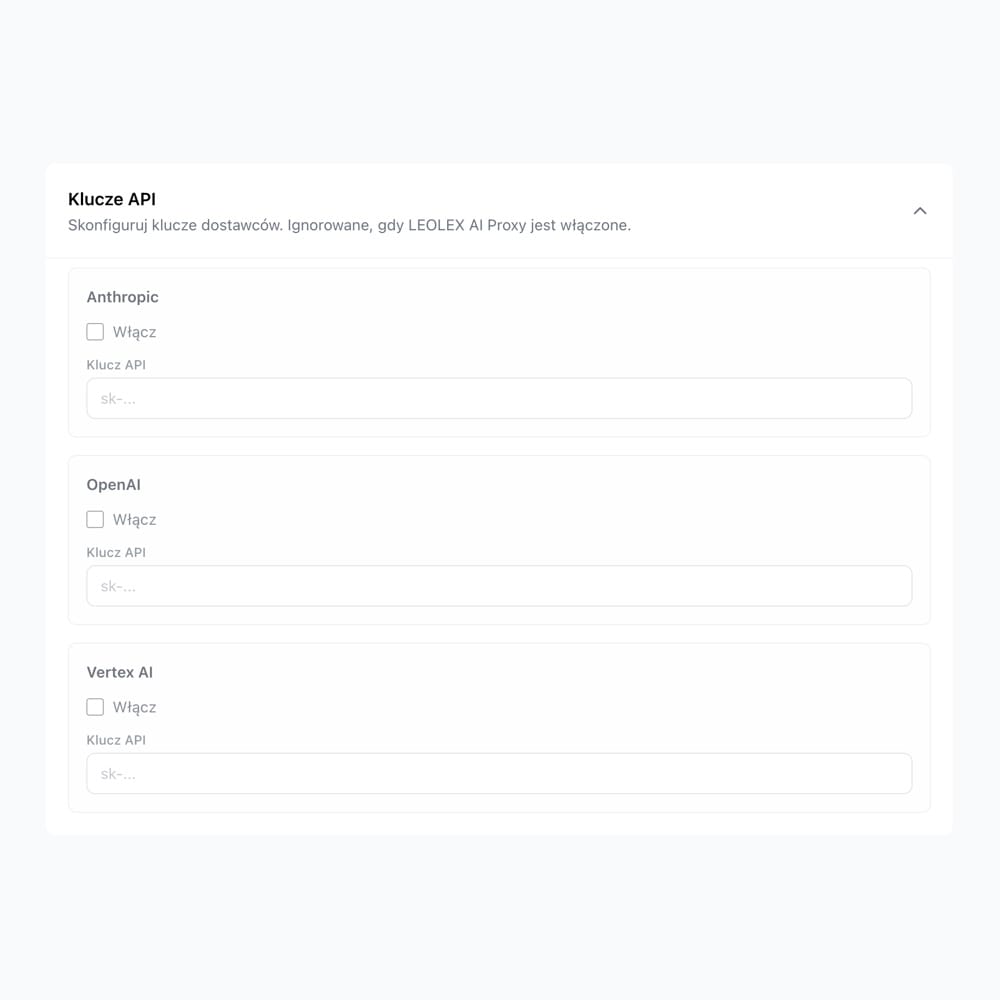
Using Azure? Connect your own API key
OpenAI, Anthropic, Azure OpenAI, AWS Bedrock, Vertex AI and others. Connect your own API key.
AI Assistant
An agent that creates files, not just answers questions
The AI agent works on local project files. It reads, edits and creates documents step by step, reports every stage and asks when information is missing, instead of guessing.
Local project file operations
The agent reads, edits and creates files on your drive, with no need to copy anything to a chat window
Step-by-step planning and execution
Breaks tasks into stages and executes in parallel, analysing a document package 3–5x faster than sequential reading
Real-time reporting
Every step is visible: you know what the agent is doing, on which file, and why
Reusable prompt library
Save proven instructions and reuse them for subsequent cases, with no starting from scratch
Jurisdiction selection for more accurate results
Specify the jurisdiction and answers are tailored to the chosen legal system
Legal Web Research
You decide when the agent accesses advanced legal source analysis
AI Tables
Review 50 contracts in 2 hours, not 2 days
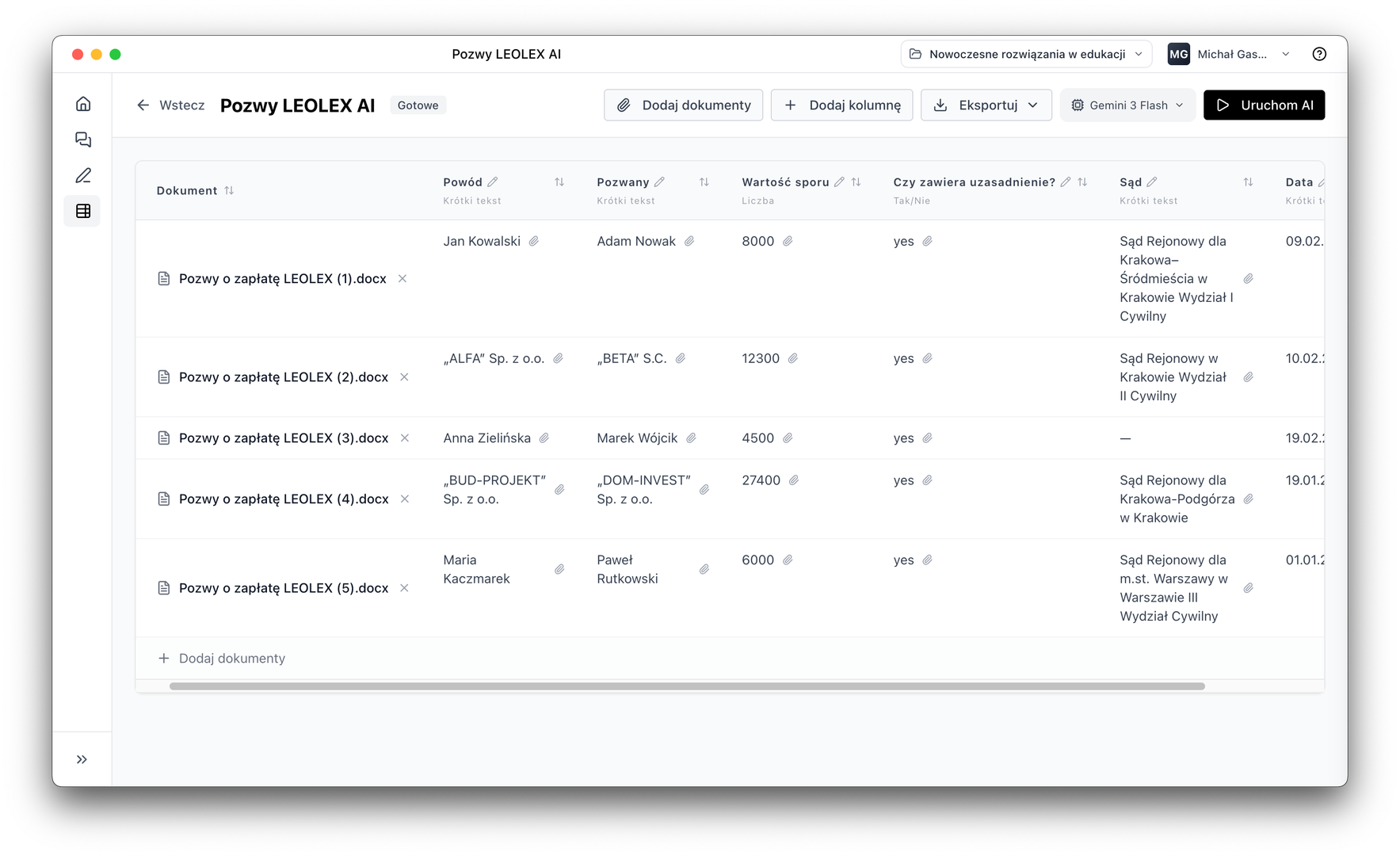
Select files, define columns and start extraction. AI goes through the document package and fills the table with data, every data point with a source citation.
Document package → table in minutes
From 100 contracts, extract parties, amounts, deadlines and risks. Everything in one table ready for analysis and export
Every data point with source citation
AI shows the exact document fragment the information comes from. Essential wherever verification matters
Flexible columns and export to CSV/PDF
Define your own columns (text, yes/no, number, quote, tags) and export results to CSV, PDF or Markdown
Document editor
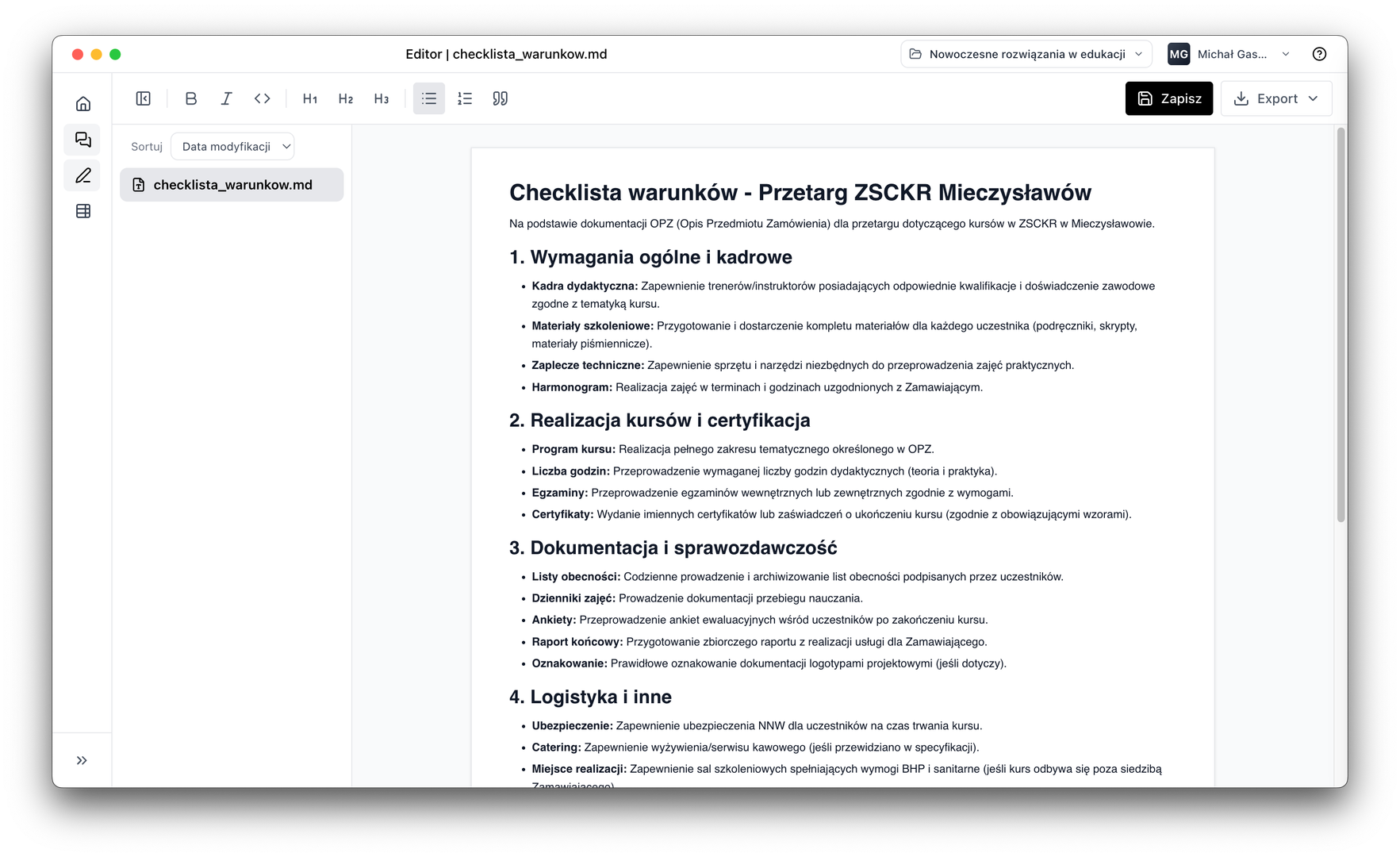
Edit, review and draft documents without switching tools
The built-in editor lets you work on documents directly in the application. .llai templates, procedures and checklists for the whole team in one place, no copying between programs.
AI Assistant integration
Invoke the agent to edit, review or improve a document
Reusable .llai templates
Due diligence procedures, checklists, letter templates: save once, use for every subsequent case
Export to PDF and Word in one click
Export the finished document to PDF or Word and deliver it to the client or team
See how LEOLEX speeds up your document work
Our vision

Michał Gaszewski
CEO & Co-Founder LEOLEX AI
Our mission is to radically increase the efficiency of working with law and documents. We create advanced AI-powered solutions that accelerate regulatory analysis, automate document creation and support decision-making in an increasingly complex regulatory world. LEOLEX AI turns law from a barrier into an action tool for law firms, companies and institutions. In designing the platform, we prioritise data security and environmental responsibility by enabling local document processing without sending files to the cloud and reducing our carbon footprint. Our vision is a world where law ceases to be a barrier to understanding and becomes an intelligent system supporting the decisions of people, organisations and entire economies.
Technology with responsibility for the planet

Photo from the tree-planting initiative in 2024

Lawyers
Accelerate contract analysis, due diligence and document reviews. Automate documents, compare contracts and generate reports. Save time on routine tasks.

Law Firms
Support for legal teams in medium and large law firms. Automation of business contracts, compliance audits, risk analysis. Integration with existing systems, full data control.

Enterprises
Speed up compliance audits and due diligence processes in large corporations. Data extraction, document comparison, automatic risk flagging. Time reduction, increased accuracy.
Frequently Asked Questions
Find answers to the most common questions about LEOLEX
LEOLEX AI Desktop is a desktop application designed for lawyers working with documents. It combines three tools: AI Assistant (an agent working on local project files), AI Tables (data extraction from documents into tables) and a built-in document editor. Project files remain exclusively on the user's computer, and the choice of AI model provider is yours.
LEOLEX AI Desktop was created primarily for lawyers, law firms, legal departments of enterprises and companies that need a secure and efficient environment for working with legal documents. The tool excels wherever contract analysis, due diligence, document review and data control matter.
LEOLEX AI Desktop is built on three pillars: (1) AI Assistant – an AI agent that reads, creates and edits local project files, plans tasks step by step and reports progress in real time; (2) AI Tables – automatic extraction of structured data from document packages into filterable and exportable tables; (3) Document Editor – a built-in editor with Markdown support, PDF preview and AI integration.
AI Assistant is an agent that works directly on project files saved locally on your computer. It reads documents, creates new files, edits content and searches the entire project for specific information. Complex tasks are divided into stages, executed in the correct order, with continuous progress updates. When data is missing, it stops and asks instead of guessing. It has a prompt library that you can build and organise by category.
AI Tables is a tool for automatically extracting information from multiple documents simultaneously and converting it into a structured table. You define the columns and scope of extracted data (e.g. contract parties, deadlines, amounts, court, verdict). Each data point in the table is linked to a specific fragment of the source document. Results can be filtered and exported to CSV, PDF or Markdown. Ideal for due diligence, contract comparison or judgment analysis.
LEOLEX AI Desktop follows the Zero Data Retention principle: documents and project files remain exclusively on your computer and are never transmitted to our infrastructure. Queries to AI models go directly to your chosen provider (e.g. OpenAI, Anthropic, Azure), without routing through our servers. You have full control over what data you entrust and to whom.
LEOLEX AI Desktop gives you full freedom to choose your AI model provider. You can use OpenAI, Anthropic, Azure, AWS, Vertex AI and others. You decide what you use and whom you trust. This lets you match the model choice to your security requirements, firm policies or cost preferences.
LEOLEX AI does not replace a lawyer, but accelerates their work. It automates tedious, routine tasks: contract analysis, data extraction, document review. This lets lawyers focus on what really matters: strategy, argumentation and client relationships. Final responsibility for legal decisions always rests with the human.
AI responses should be treated as support and a starting point for analysis, not as a ready legal opinion. LEOLEX AI delivers results based on specific fragments of your documents with source citations, making verification easier. The substantive decision always rests with the lawyer.
Simply download LEOLEX AI Desktop from the website and install it on your computer. You can try the application free for 7 days. If you want to see the tool's capabilities before downloading, book a demo – we will show you how it works in practice with real legal examples.
AI Assistant supports PDF, DOCX, TXT, Markdown and other text formats saved in the local project. The document editor is used to create and edit files in Markdown format and the native .llai format. PDF preview lets you browse documents without leaving the application.
.llai (Live Legal AI) files are the native LEOLEX AI Desktop format designed for creating reusable templates, procedures, checklists and instructions. You can create pattern libraries for your team: standard due diligence procedures, audit checklists or document templates, always available in the project.
Yes. Documents from the editor can be exported to PDF and Word (DOCX). Results from AI Tables are exported to CSV, PDF or Markdown. AI Assistant results go directly to project files, from which you can further edit and share them.
Ordinary AI chatbots operate on a one-off conversation basis, without access to your files and without the ability to save results. LEOLEX AI Desktop is a work environment: the AI agent reads and writes project files, plans multi-stage tasks, AI Tables process entire document packages, and the editor lets you work on results without switching tools. All locally, without uploading files to the cloud.
Yes, AI Assistant offers the Legal Web Research option, which allows the agent to access advanced analysis of legal sources available on the internet. You decide when you want to use this feature.
Yes, in the AI Assistant settings you can select a jurisdiction, which improves the quality and relevance of results for Polish law or another chosen legal system. This is particularly useful for contract analysis and queries about specific regulations.
Yes. On our website you will find a contact form – every request is handled manually by a human. If necessary, the support team will contact you to help resolve the issue.
Didn't find an answer to your question?
Contact us