

Desktop application for lawyers
AI for lawyers that works on your local files
LEOLEX AI Desktop is a desktop application that helps analyse documents, draft letters, compare contracts and extract data from case files. Project files stay local, giving you full control over data and AI model provider.
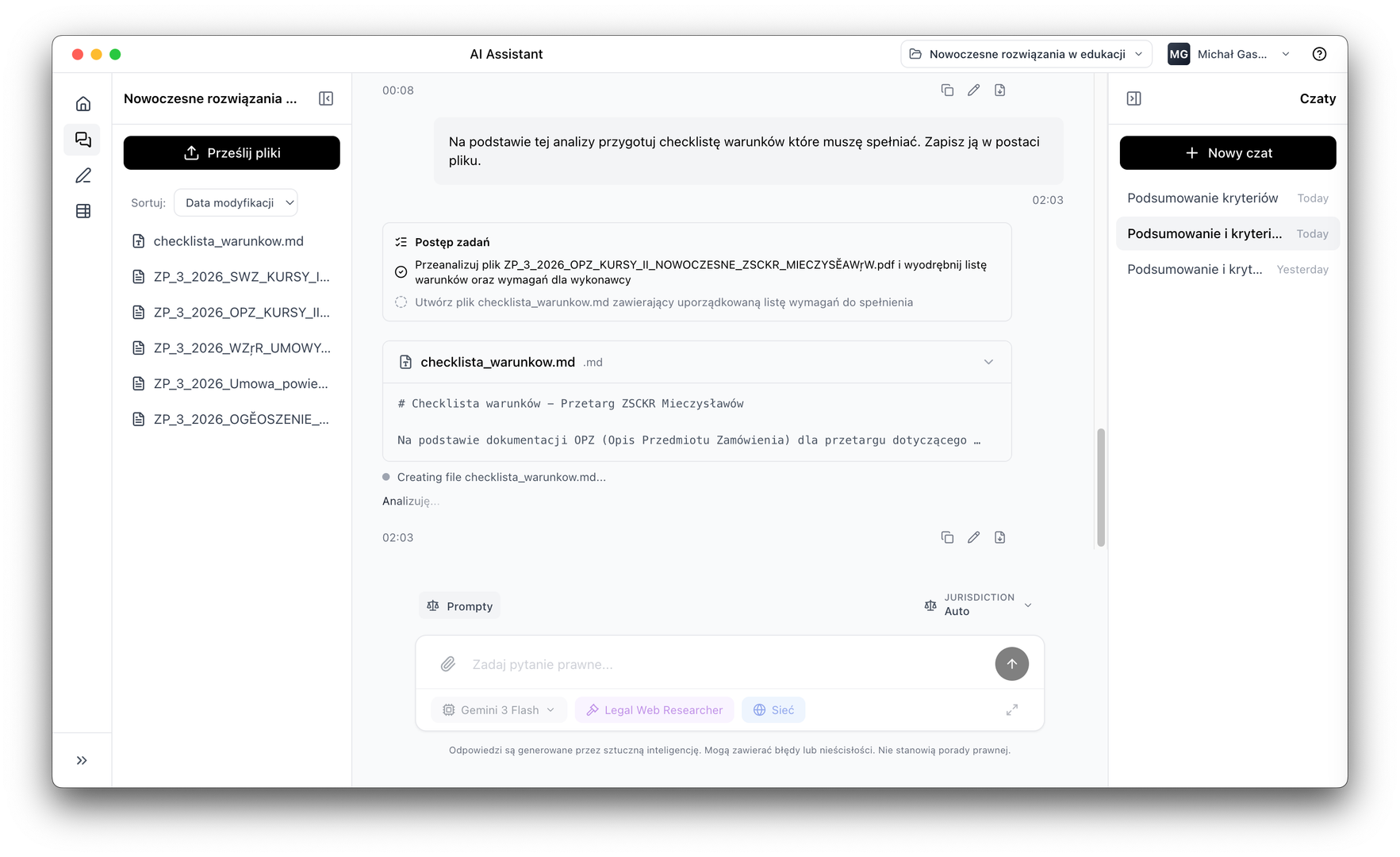
Desktop application for daily work with legal documents
LEOLEX AI Desktop works on files saved locally on your computer. The AI assistant reads project documents, creates and edits files, and helps organise work — without sending data to an external cloud.
Document analysis and comparison
Analyse contracts, letters, judgments and client documents. Compare multiple files simultaneously without manual transcription.
Data summaries in tables
Automatically create data summaries from documents in table form. Export to CSV, PDF or Markdown.
Drafting in one place
Draft and edit documents in one work environment. AI shows sources and work progress at every stage.
Why it's worth it
Why lawyers choose LEOLEX AI
Working on local files
Documents remain in the user's work environment. LEOLEX AI works on locally saved project files, giving greater control over information flow and AI model usage.
AI chat that understands document work
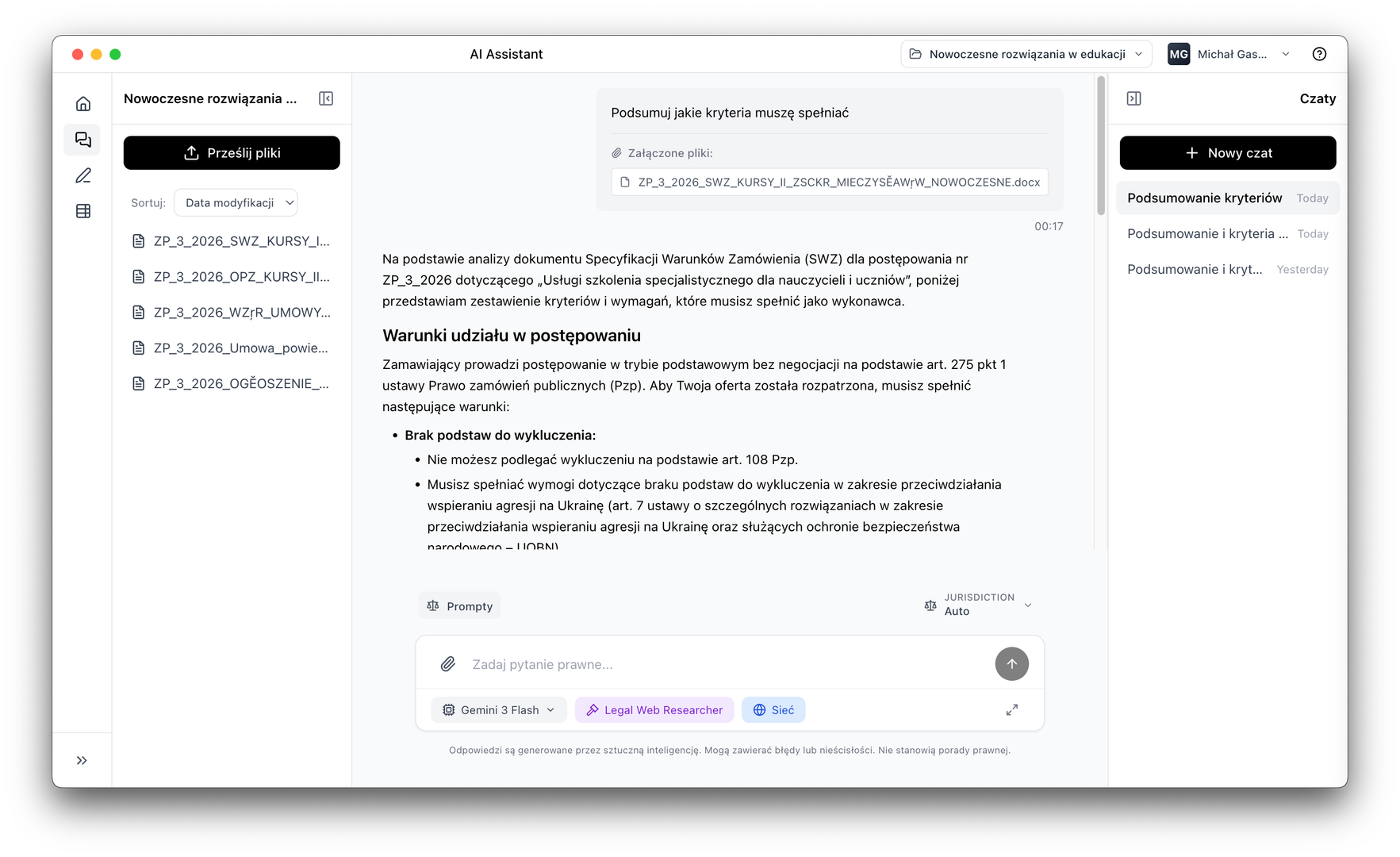
The AI assistant is not limited to answering questions. It can read documents, search for information, create new files, edit existing content and guide through task steps.
Faster analysis of multiple documents
Helps compare contracts, analyse case files, extract key data and build summaries without manual transcription. Especially useful for due diligence, contract review and dispute handling.
AI Tables with source citations
The AI Tables feature automatically extracts information from documents and turns it into structured tables. The system shows exactly where each piece of information comes from — crucial wherever verification matters.
Document editor and preview
The built-in text file editor and document preview allows analysis, corrections and new content creation in one environment, without constantly switching between tools.
Choice of AI model provider
You can decide which model provider you use, making it easier to match the solution to organisational, security and cost requirements.
Download LEOLEX AI Desktop and try it free for 7 days.
Platform
Document work tools
This is not an ordinary chat. This is AI for lawyers that works in the context of the project, reads local documents, helps create new files and organises information.
AI Assistant
AI agent working on the lawyer's local documents
The assistant reads, edits and creates documents, plans work step by step and reports in real time. When data is missing, it can pause and ask for the right file or response format.
Local file operations
Read, edit, create and search within project documents
Step-by-step planning and execution
Breaks complex tasks into stages, executes them and reports progress
Prompt library for lawyers
Create and save your own query templates for recurring tasks
AI Tables
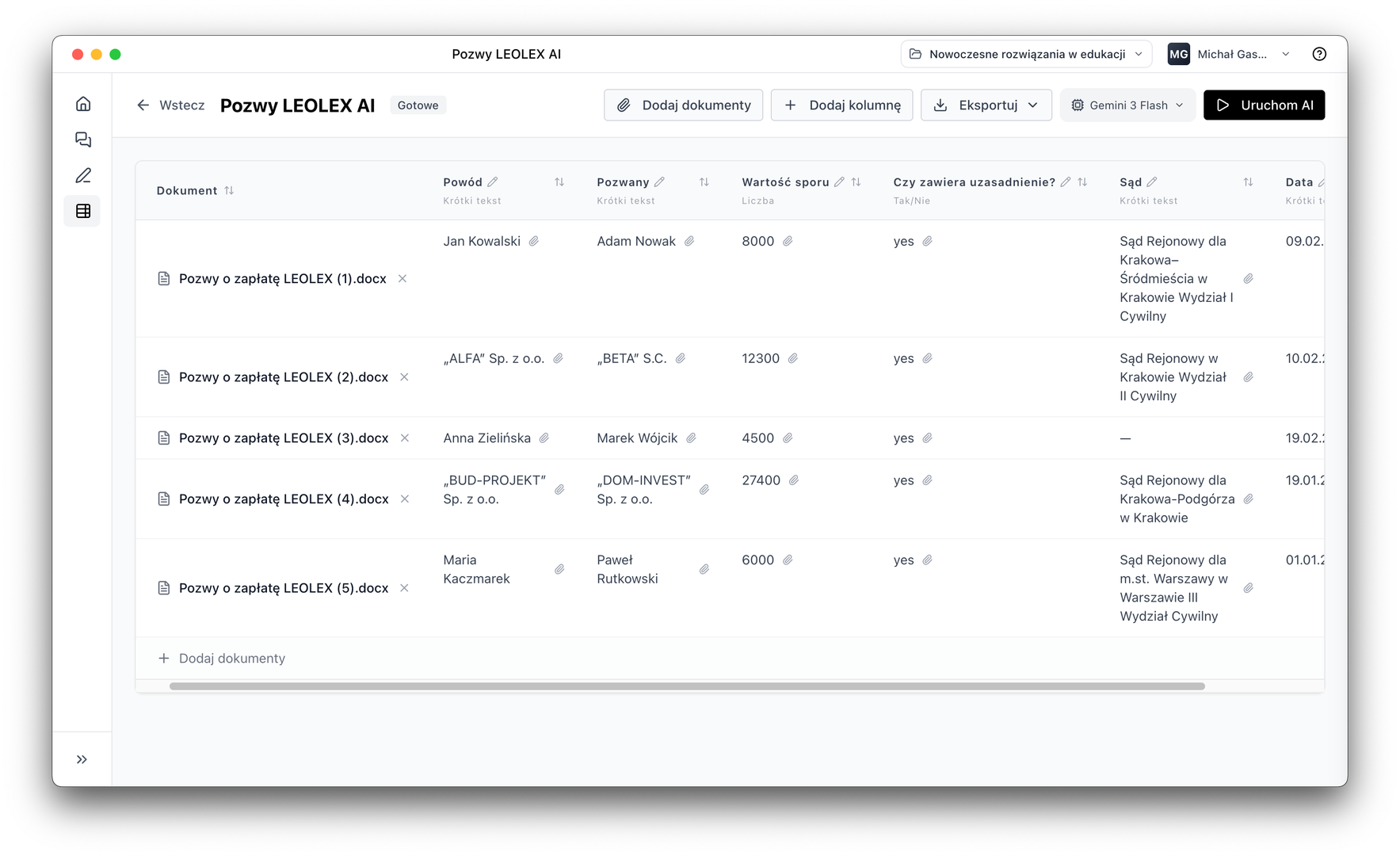
Automatic data extraction from case files into tables
Extract key information from large document packages and turn it into tables that can be filtered, exported and developed further. Ideal for due diligence and contract review.
Multiple document analysis simultaneously
Contract comparison, due diligence, record review through automatic extraction of key data
Source citation for every data point
AI pinpoints the exact document fragment from which each piece of information originates
Flexible result export
Export to CSV, PDF and Markdown with flexible column formats
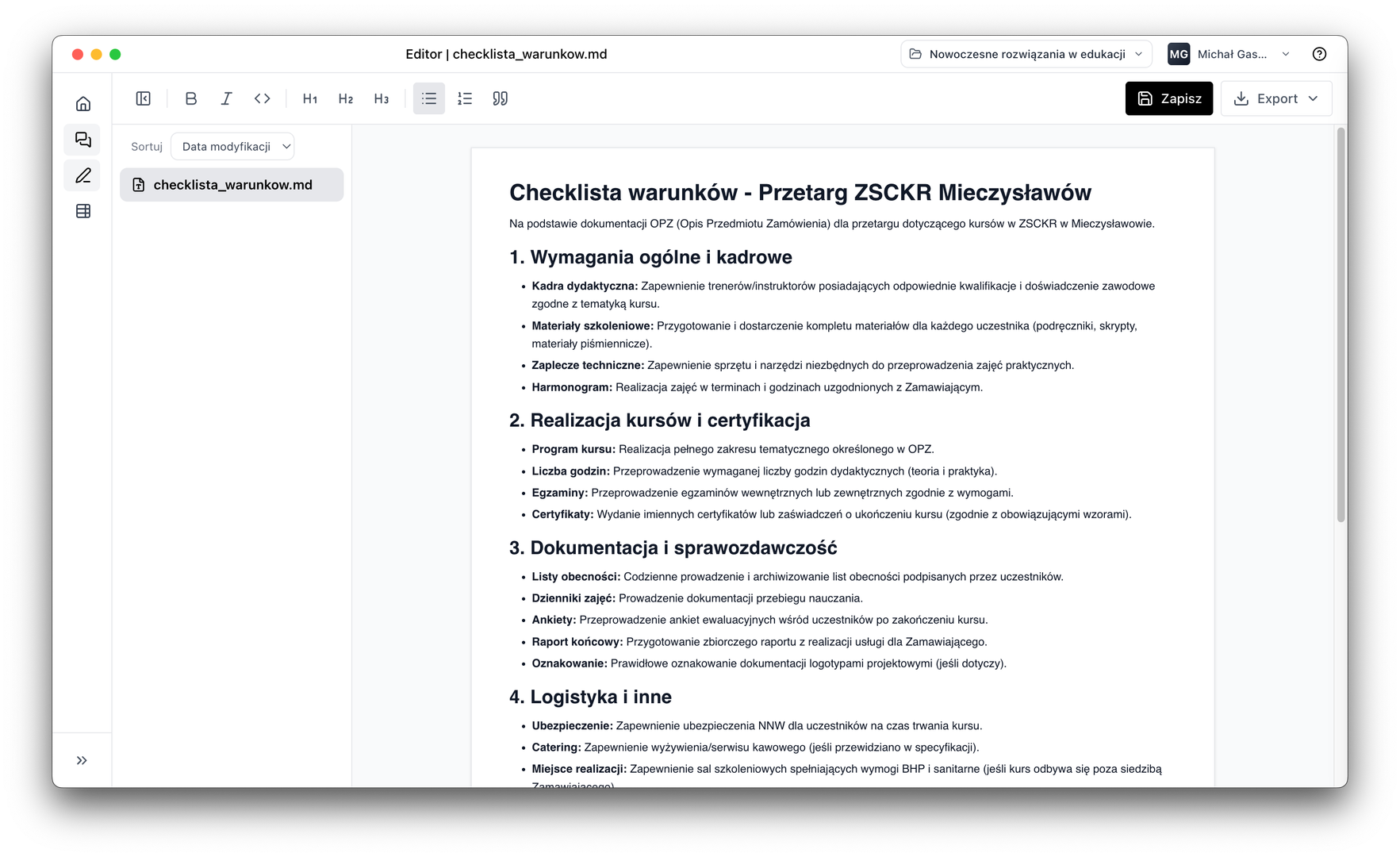
Edytor dokumentów
Draft letters and documents without switching tools
The built-in editor lets you create, edit and improve documents directly in the application. Templates, procedures and checklists available in one place.
AI Assistant integration
Invoke the agent to edit, review or improve a document directly from the editor
Templates and internal procedures
Create checklists, letter templates and reusable procedures
Document export
Export finished letters and documents to PDF, Word or share with your team
Use cases
How lawyers use LEOLEX AI in practice
From contract analysis to dispute handling, LEOLEX AI supports the lawyer's work at every stage of document processing.
Contract analysis and comparison
Compare multiple contract versions, extract differences, identify risky clauses and build clear summaries for the client or team.
Drafting letters and documents
Prepare draft letters, responses, notes, checklists and summaries based on project documents and user instructions.
Due diligence and document review
Automatically extract key information from large document packages and turn them into tables that can be filtered, exported and developed further.
Working with case files and attachments
Search for specific information in files, organise material and quickly reach fragments relevant to the case.
Internal knowledge and procedures
Create procedures, checklists and templates that can be reused in recurring processes.
Dispute handling and case law analysis
Analyse case files, extract key information from judgments and prepare concise summaries for proceedings.
Differentiator
AI for lawyers that does not work like an ordinary chatbot
Most AI tools end at the chat window.
LEOLEX AI is an application for lawyers where AI works directly on project documents. It can plan a task step by step, take action on files, ask clarifying questions and show work progress in real time. You get real support in completing the task, not just answers.
Plans work in stages and reports every step
Takes action on files, not just answers questions
Asks when information is missing instead of guessing
Shows sources — important wherever verification matters
Security
Safer work with confidential documents
In a lawyer's work, information security is not an add-on — it is the foundation. LEOLEX AI was designed as a desktop document work environment where project files are processed locally and the user has greater control over which model is used and which data is processed.
Schedule an implementation callProject files local on your computer
Documents do not reach our cloud. Project files remain in the user's work environment, giving greater control over information flow.
Choice of AI model provider
You can choose your model provider according to organisational requirements and security policy. OpenAI, Anthropic, Azure, Vertex AI and others.
Control over what is shared
The user decides which files and data are shared with the model. Transparency at every step of the assistant's work.