

AI Assistant
AI agent working directly on your local documents
The assistant reads project files, creates and edits documents, plans work step by step and reports in real time. It works on local files without sending documents to an external cloud.
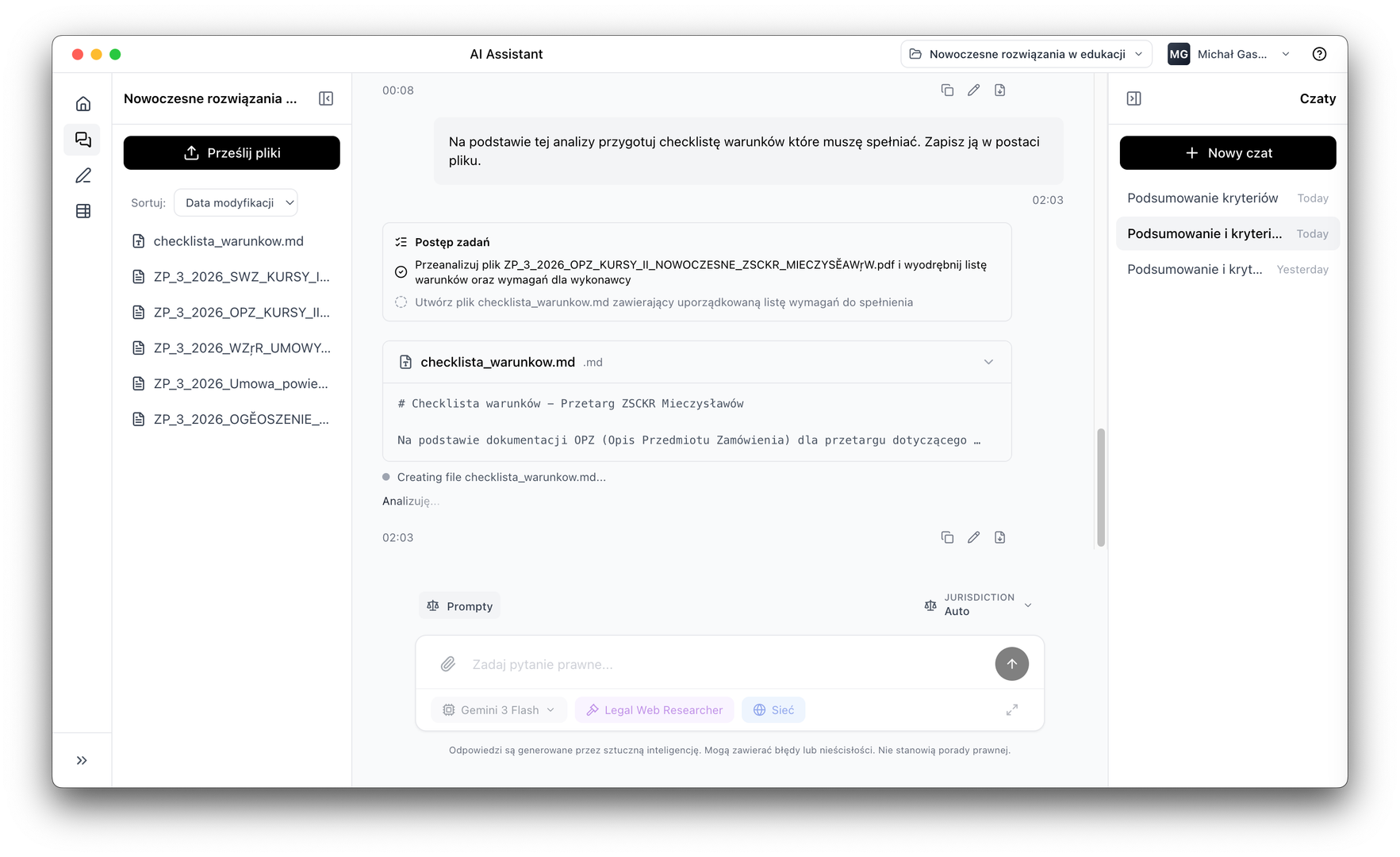
Working on local files
Read, write, edit project documents
Multi-stage planning
Splits tasks into steps and executes them in order
Real-time reporting
Every step visible to the user
Source citations
Answers based on specific document fragments
File operations
Reads, creates and edits files without leaving the app
AI Assistant has direct access to locally saved project files. It can read documents, save work results, create new files and edit existing content — all within a single task.
Reading and analysing project documents
PDF, DOCX, TXT, Markdown and other formats supported by the project
Creating new files
Letters, summaries, notes and reports saved directly to the project
Searching across multiple files simultaneously
The assistant searches the entire project for specific information
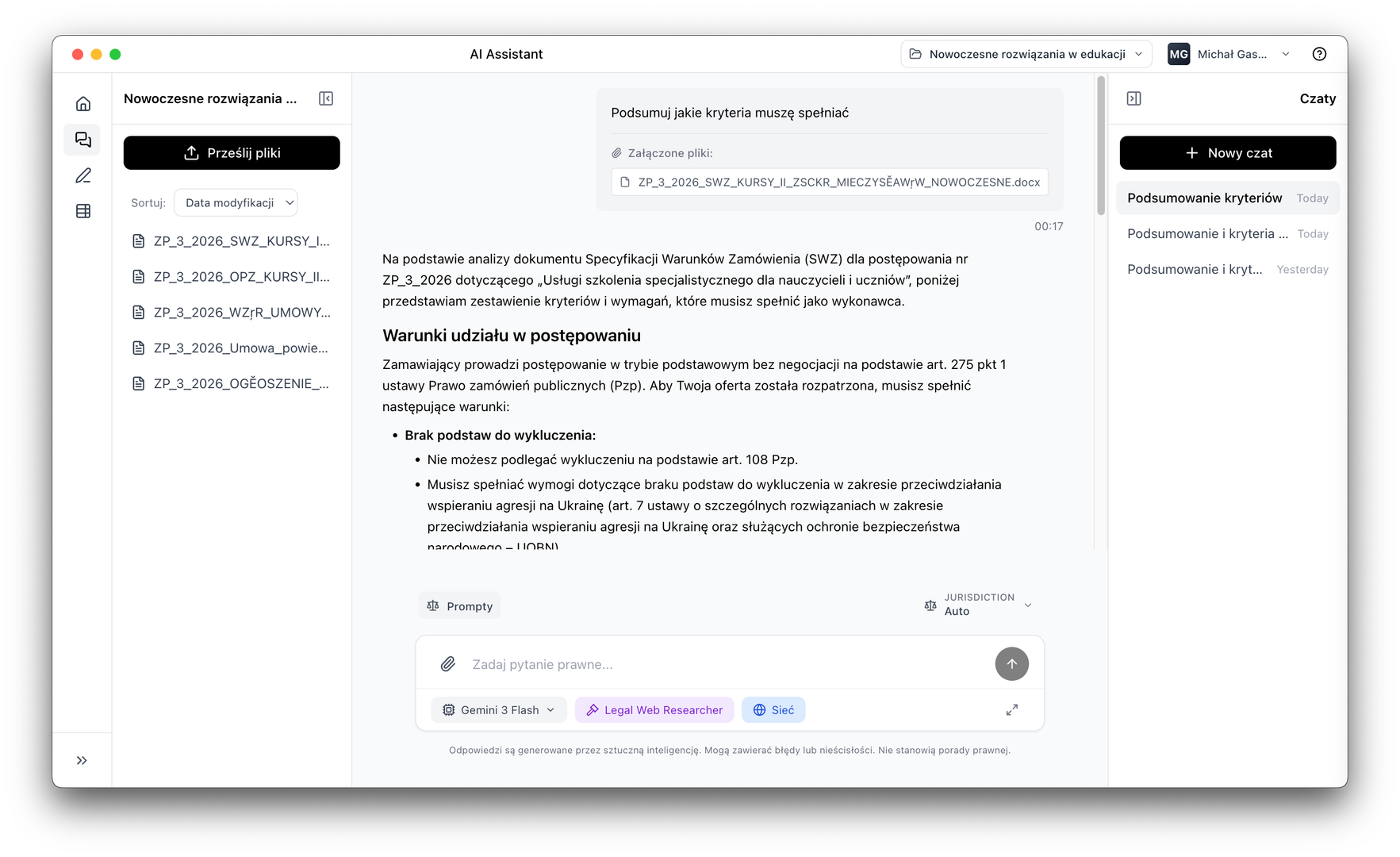
Planning & prompts
Plans work, asks questions and builds a prompt library
The assistant breaks complex tasks into stages, executes them in the correct order and provides progress updates. When information is missing, it stops and asks instead of guessing.
Multi-stage task planning
The assistant breaks the goal into concrete steps and executes them in order
Clarifying questions
Instead of guessing, the assistant stops and asks for missing data
Prompt library
Create, save and organise query templates for repeated use
Choice of AI model provider
OpenAI, Anthropic, Azure and others — you decide what you use
How it works
From instruction to finished result
You describe the task
You write what you want to achieve: contract analysis, drafting a letter, data extraction.
The assistant plans steps
AI breaks the task into stages, identifies required files and determines the order of actions.
Executes and reports
Every step is visible in real time. The assistant works on files and saves results.
Finished result in the project
Results go into project files; you can review, edit and export them.
Download LEOLEX AI Desktop and try it free for 7 days.